| Warren County New York Social Services Department |
| Records Management Application |
"Using Iron Speed Designer saved us at least $20,000 in development costs
and approximately a year of development time."
- Jeremy Scrime, Senior Programmer Analyst of Warren County Information Technology Department
|
|
|
The Records Management Application |
Warren County New York Social Services Department
Lake George, NY USA
|
The Records Management application was developed for the Warren County New York Social
Services Department. The application is used internally by a group of case workers.
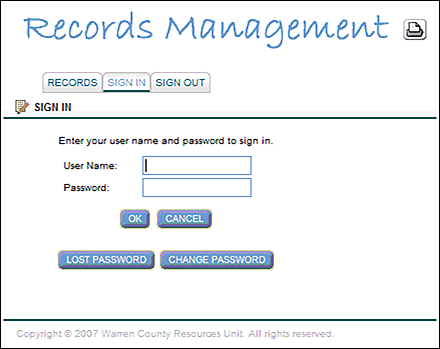
Users login to the application using a secure sign-in screen.
Every time a case is opened in the Social Services Department, a series of paper files
are created and maintained. This application allows users to search using various criteria
to locate a case and its underlying records and to find the corresponding box number that is
used by our Records Center to store the files.
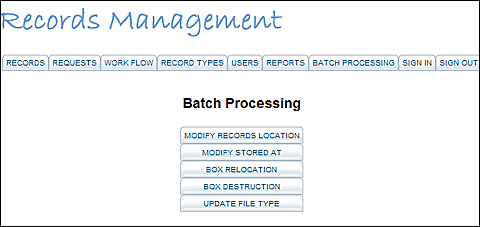
The application processes several types of workflow using the main Batch Process screen.
The web-based application was written to replace an existing FoxPro 2.6 application. Prior
to creating this application, users would call the Social Services Resources Department and
request a file. The Resources Unit would then find the mapping in the old FoxPro application
and send an email to the Records Center to request that record be delivered to the Resources
Unit and ultimately to the Case Worker who requested the file. Now users (up to 65 of them)
access the Records Management application and search for the files themselves, eliminating the
call to the Resources Unit. Once the file is located, the worker clicks a button to initiate a
request for that file. The act of requesting a file automatically triggers an email to the Resources
Unit to alert them of the new request. Then the Resources Unit logs in to the Records Management application
and retrieves the request.
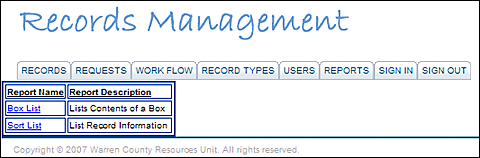
A Case Worker can open a report by clicking on the hyperlinked titles listed on the Reports screen.
Rewriting this application as a web-based Iron Speed Designer application gave us a great
opportunity to streamline this process and develop a workflow application. One piece is a
custom designed workflow screen with seven levels of status (workflow) on a document request:
Requested
Reviewed
Sent to Records
Ready to be picked up
Picked up
Returned to Resources
Returned to Records Center
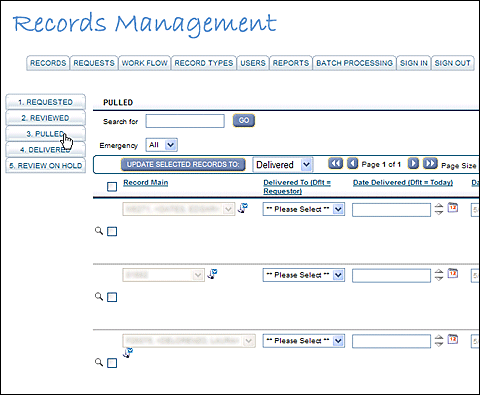
Users can review records in various states using the Batch Processing workflow screen.
Each status has a custom screen that filters records for that particular status and allows
moving individual records or a group of records from the current status to another status.
|
Application size and scope |
One Microsoft SQL Server 2005 database comprises 12 tables and seven views, the largest table contains
93,335 records. The application contains approximately 37 web pages accessed which are accessed
by 65 Case Workers. The users process over 10,000 transactions each month.
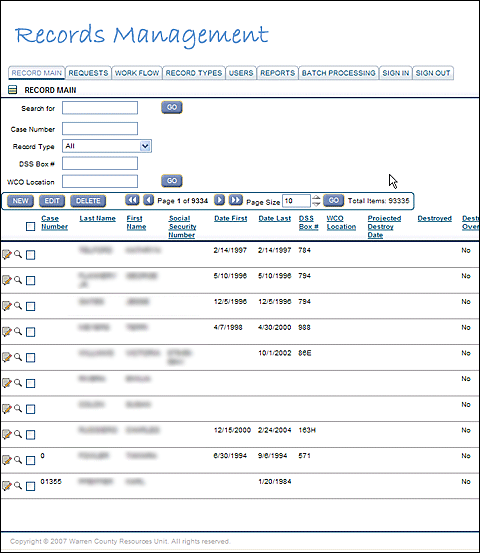
The largest table in the Records Management Application contains 93,000+ records.
|
The project |
|
It took our team one month to implement this project. The team consisted of one developer,
two designers, and two users who tested the application extensively throughout development.
The Iron Speed Designer portion of the project took two weeks to complete.
|
Code extensions and customizations |
The Records Management application contains 65 lines of custom code. I implemented several mass
update screens using filtered table control panels to manage my workflow. I created a page for each
status, with a filter for records in that status. I then added a custom button to set all selected
records to a status chosen from a dropdown list.
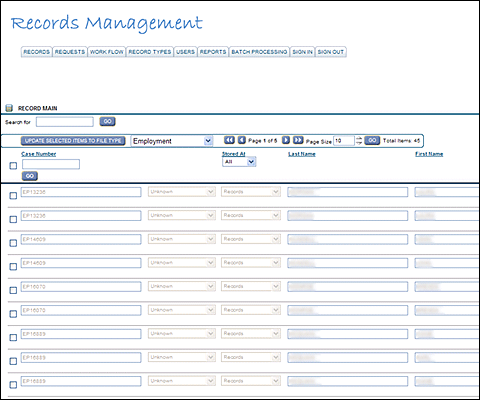
Users can visit the main Batch screen to implement mass updating of a file type.
We also implemented code to override the save feature in order to loop the records in the table control,
check the IsSelected flag, and only update records flagged to be updated.
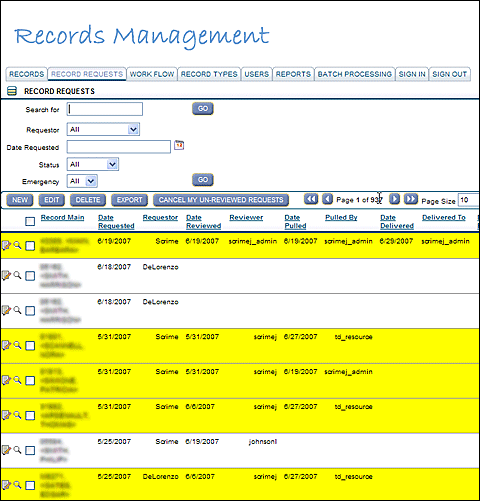
Records that are currently unavailable are highlighted in yellow on the Record Requests screen.
It only took three days to implement these customizations!
|
Layout customizations |
|
I used the standard "Adams" design theme provided with Iron Speed Designer.
|
Iron Speed Designer impact |
We could re-write the current application in Visual FoxPro 9 in about one month; however it would have
taken us over a year to re-create this application using Microsoft ASP.NET. This was only our second
project using this technology! Using Iron Speed Designer saved us at least $20,000 in development costs
and approximately a year of development time.
Without Iron Speed Designer this project would not have been feasible simply due the size of our staff
and our limited experience using .NET.
|
Next steps |
|
There are no current plans to extend the Records Management application for the Social Services Department.
However, our team supports many of the departments at Warren County, and we will be developing almost all of
our new applications using Iron Speed Designer.
|
About the developer |
|
Jeremy Scrime holds a Bachelor's Degree in Mathematics from Siena College in Loudonville, New York USA.
He has been programming for over 10 years and has experience in Delphi, Visual RPG, FoxPro, Microsoft
SQL Server, Iron Speed Designer and Microsoft ASP.NET. Jeremy is currently a Senior Programmer Analyst
at Warren County in Lake George, New York.
|
|
|
|
|
|
|