|
|
Configuring IIS on Microsoft Vista |
The Microsoft Internet Information Services (IIS) must be installed and configured properly in order to
function in Microsoft Vista.
Iron Speed Designer creates a virtual directory for your application, sets the default .NET Framework version
and initializes the security settings for the application using the Microsoft Internet Information
Services (IIS) API. With the release of IIS 7.0 on Microsoft Vista, Microsoft changed this API, but
allows the usage of the IIS 6.0 API in "compatibility mode". To allow Iron Speed Designer to create
the virtual directory and initialize the settings, you must turn on the IIS 6.0 Compatibility Mode for
IIS 7.0 under Microsoft Vista as described below.
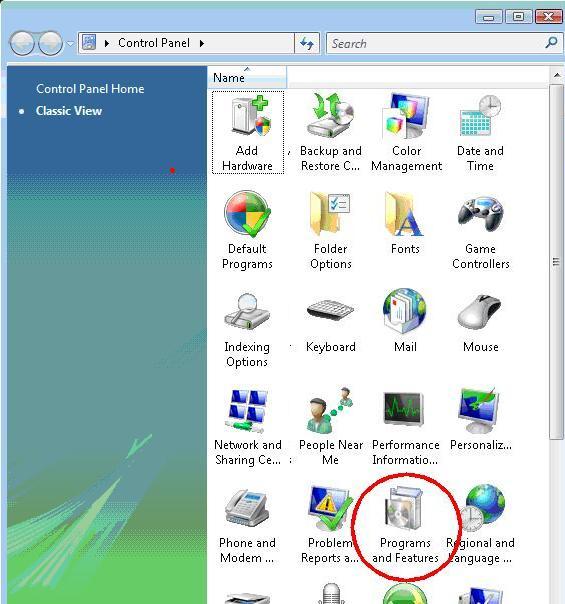
Step 1: Open the Windows Control Panel and choose "Programs and Features".
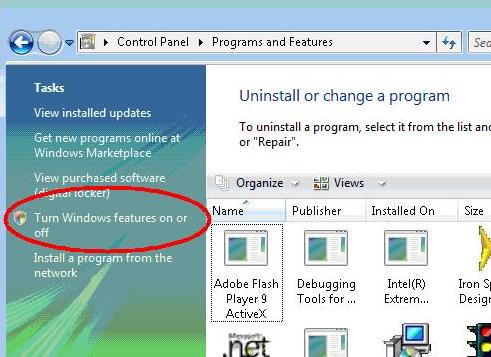
Step 2: In the Task panel on the left, choose "Turn Windows Features on or off".
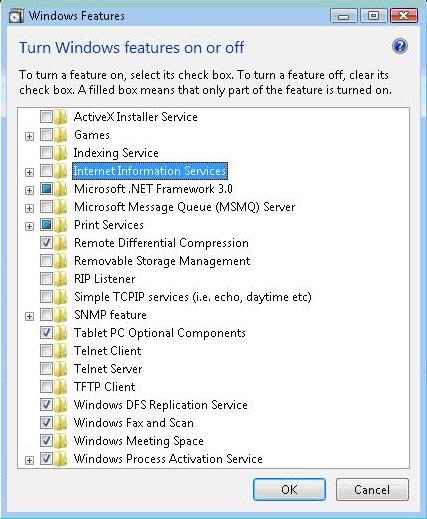
Step 3: Select and expand "Internet Information Services".
Step 4: Select (check) each of the indicated features. Specifically, make sure these features
in the "IIS 6 Management Compatibility" section are turned on:
- IIS 6 Scripting Tools
- IIS 6 WMI Compatibility
- IIS Metabase and IIS 6 configuration compatibility
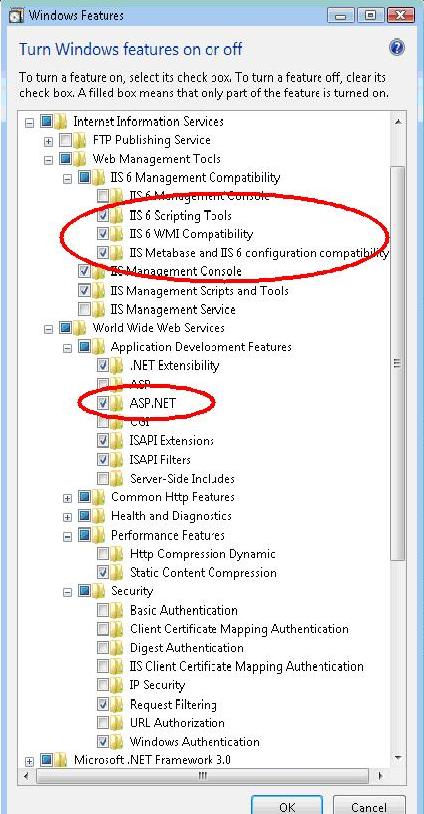
Step 5: Enable ‘Static Content’ in the World Wide Web Services section. This permits static
images to be displayed within your web application.
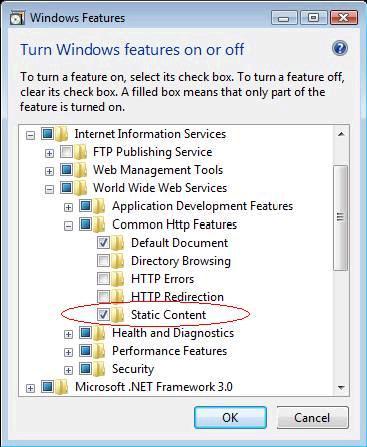
Step 6: Enable 'Windows Authentication' in the Security section.
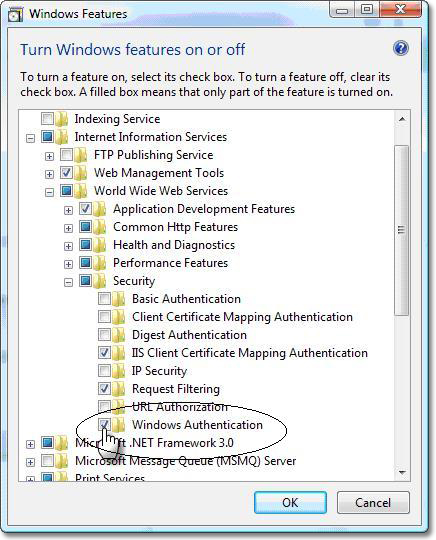
Step 7: Optional. Set 'about:blank' to 'Medium' security in the Trusted Sites zone in
Internet Explorer to eliminate warning messages about trusted site access.
|
See Also |
|
Installing IIS 7.0 on Windows Vista Business or Vista Ultimate
|
|
|
|
|
|
|
|
|
|